The modern office no longer lives inside four walls. Remote work has become a permanent part of how businesses operate, especially for small and mid-sized organizations balancing flexibility with productivity. Employees now log in from home offices, libraries, coworking spaces, airports, and coffee shops. These “third places” make work more adaptable, but they also introduce new risks. Public Wi-Fi security has become a critical business concern, not just a technical detail.
For many organizations, the shift happened quickly. Policies and security controls did not always keep pace. A coffee shop network cannot be treated like a secured corporate environment. The risks are different, and without clear expectations and safeguards, company data can be exposed in seconds. Strong public Wi-Fi security policies help teams work confidently from anywhere while protecting the systems that keep the business running.
Understanding the Dangers of Open Networks
Free internet access is one of the biggest draws for remote workers. Coffee shops, malls, libraries, and shared office spaces often advertise Wi-Fi as a convenience. What they rarely advertise is how little control exists over who else is on that network.
Most public networks lack the layered protections found in a properly configured business network. Even when a password is required, it is often shared widely and reused by dozens of visitors each day. That makes it easier for cybercriminals to intercept traffic, monitor activity, and capture login credentials.
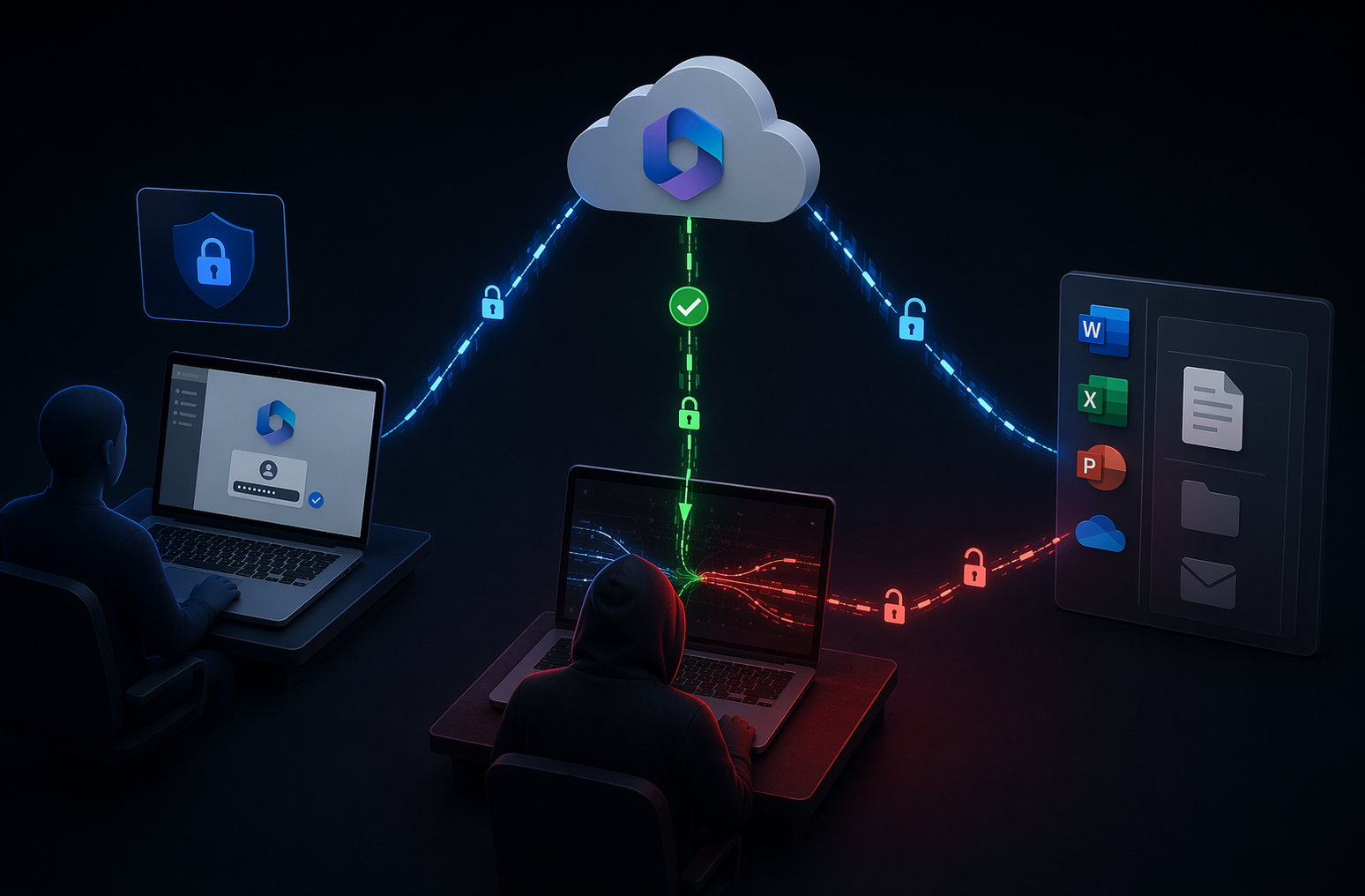
One common tactic is the man-in-the-middle attack. An attacker positions themselves between the user and the website or system they are accessing. In some cases, they even create fake networks with names that mimic nearby businesses, such as “Free Café WiFi.” Once an employee connects, the attacker can monitor data being transmitted across that network. Passwords, emails, and file transfers may all be exposed.
According to guidance from the Cybersecurity and Infrastructure Security Agency, public Wi-Fi should always be treated as untrusted, and sensitive work should only occur over secure, encrypted connections. That advice applies to organizations of every size, especially those without large internal IT teams.
Mandating Virtual Private Networks
A strong public Wi-Fi security strategy starts with requiring the use of a Virtual Private Network. A VPN encrypts data leaving a device and routes it through a secure tunnel before it reaches its destination. Even if someone intercepts the traffic, the information remains unreadable.
For remote teams, providing a VPN is not optional. It should be standard equipment, just like a company laptop. More importantly, it should be easy to use. If connecting to the VPN requires multiple steps or frequent troubleshooting, employees may skip it when they are in a hurry.
A practical approach includes:
• Configuring VPN software to launch automatically when a device connects to the internet
• Enforcing policies that block access to company systems unless the VPN is active
• Regularly monitoring usage to confirm compliance
These controls remove guesswork. Employees do not have to remember to turn on protection. It simply becomes part of how their device operates.
Microsoft also recommends encryption and secure remote access controls as part of a broader Zero Trust model, where every connection is verified before access is granted. For businesses using Microsoft 365, aligning VPN use with conditional access policies can further reduce exposure.
The Often Overlooked Risk of Visual Hacking
Not every threat is digital. In busy public spaces, screens are visible to more than just the person using them. Visual hacking occurs when someone glances at or photographs sensitive information directly from a screen.
Financial reports, client records, and internal strategy documents can all be exposed with nothing more than a quick look over a shoulder. In crowded environments, it is nearly impossible to know who might be paying attention.
Privacy screens are a simple and effective solution. These filters limit the viewing angle of a display so that only the person sitting directly in front can see the content clearly. Some modern laptops include built-in privacy features, while others can be fitted with aftermarket screen protectors.
Clear expectations should also be included in the remote work policy. Employees need reminders to position themselves thoughtfully, avoid working with highly sensitive data in crowded areas, and lock their screens whenever stepping away, even briefly.
Protecting Devices in Public Spaces
Device theft remains one of the fastest ways to lose both hardware and data. In a traditional office, walking away from a desk for a few minutes rarely raises concern. In a public setting, that same action can result in a stolen laptop.
Remote work policies should make expectations explicit. Employees must keep devices with them at all times and avoid leaving equipment unattended. Even a short trip to the counter can create an opportunity.
Encourage simple precautions:
• Use cable locks when working in one location for an extended period
• Enable full-disk encryption on all company devices
• Require strong passwords and automatic screen locks
Full-disk encryption ensures that even if a device is stolen, the data remains protected. Combined with centralized device management, businesses can remotely lock or wipe a lost laptop before sensitive information is accessed.
Handling Calls and Conversations in Third Places
Security extends beyond screens and networks. Conversations can also expose confidential information. Discussing client details, financial matters, or internal plans in a public setting increases the risk of being overheard.
Headphones prevent others from hearing the person on the other end of the call, but they do not stop nearby individuals from hearing the employee’s voice. When sensitive discussions are necessary, employees should move to a private area such as a vehicle or step outside where fewer people are within earshot.
Clear communication about these expectations reduces awkward situations. Employees understand that these guidelines are not about limiting flexibility but about protecting clients and colleagues.
Building a Clear Remote Work Security Policy
Employees should never have to guess what is allowed. A written remote work security policy provides clarity and consistency. It outlines expectations around public Wi-Fi security, VPN usage, physical device protection, and communication practices.
The policy should be easy to access, reviewed during onboarding, and reinforced through regular training. It should also evolve. Technology changes, threats shift, and business needs grow. Reviewing the policy annually ensures it remains aligned with current risks and tools.
The National Institute of Standards and Technology emphasizes that security policies must be living documents, updated regularly to reflect new vulnerabilities and emerging best practices. Businesses that treat policies as static paperwork often fall behind.
A strong policy does more than list rules. It explains the reasoning behind them. When employees understand how a stolen password or intercepted connection can affect the entire organization, compliance becomes a shared responsibility rather than a burden.
Balancing Flexibility with Responsibility
Third place work is not going away. Flexibility improves morale and helps organizations attract and retain talent. The goal is not to restrict remote work but to support it responsibly.
Public Wi-Fi security is one piece of a broader remote work security strategy that includes endpoint management, multi-factor authentication, regular patching, and ongoing monitoring. When these elements work together, businesses reduce risk without sacrificing agility.
Small and mid-sized organizations often assume they are less likely to be targeted. In reality, attackers frequently look for environments with weaker controls. Proactive planning closes those gaps before they are exploited.
Well-informed employees are one of the strongest layers of defense. When they know how to identify risky networks, use secure tools, and protect physical devices, the entire organization becomes more resilient.
Common Questions
Is it ever safe to use public Wi-Fi for work?
Public Wi-Fi can be used safely if proper controls are in place. Always require a VPN, enable multi-factor authentication, and avoid accessing highly sensitive systems without encryption. Treat every public network as untrusted.
Do password-protected public networks offer real protection?
A shared password does not provide the same security as a private business network. Anyone with the password can join, which increases exposure. Encryption and VPN use are still necessary.
What is the most important control for remote workers?
There is no single solution, but enforced VPN use combined with multi-factor authentication and device encryption provides a strong foundation. These controls protect data even if a device or network is compromised.
Remote work offers flexibility and opportunity, but it requires thoughtful safeguards. Public Wi-Fi security should never be an afterthought. With clear policies, reliable tools, and consistent training, your team can work from anywhere without putting your business at risk.
At Keystone, we don’t just manage IT—we execute. We ensure smooth transitions, rock-solid security, and maximum efficiency so your business can thrive. Let us handle the complexity of IT while you stay focused on what matters most—growing your business.
Contact us today to schedule a consultation and see how Keystone delivers results you can trust.