Article Summary
A Man-in-the-Middle attack is one of the fastest-growing phishing threats facing middle Tennessee businesses today. Instead of stealing passwords, attackers steal active login sessions after users successfully sign in and complete multi-factor authentication (MFA). Understanding how these attacks work can help organizations improve identity security, reduce risk, and better protect their Microsoft 365 accounts and sensitive data.
What Is a Man-in-the-Middle Attack?
A Man-in-the-Middle attack, often called an Adversary-in-the-Middle (AiTM) attack, is a phishing technique that allows cybercriminals to steal active login sessions after a user successfully signs in. These attacks are becoming more common in Microsoft 365 environments and can bypass traditional MFA protections without ever stealing a password.
For years, businesses have been told that strong passwords and MFA are the keys to preventing account compromise. Those protections are still important, but attackers have adapted their methods. Rather than trying to break through security controls, they now focus on stealing the trust that exists after authentication has already occurred. This shift has made Man-in-the-Middle attacks one of the most effective phishing methods used against businesses today.
Why Cybercriminals Are Targeting Active Sessions
Traditional phishing campaigns focused on collecting usernames and passwords. Once MFA became widely adopted, stolen credentials became less useful on their own. Today, attackers want something more valuable: an authenticated session.
When you sign in to a cloud application such as Microsoft 365, the platform creates a trusted session that allows you to work without repeatedly entering your password. This improves convenience for users, but it also creates an opportunity for attackers. If a cybercriminal can capture that active session, they may gain access to the account without needing credentials or another MFA prompt.
How a Man-in-the-Middle Attack Works
The Login Experience Looks Normal
One reason these attacks are successful is that the login process often appears completely legitimate. Unlike older phishing scams that relied on fake websites filled with spelling mistakes and poor design, modern attackers use sophisticated tools that sit between the user and the real service.
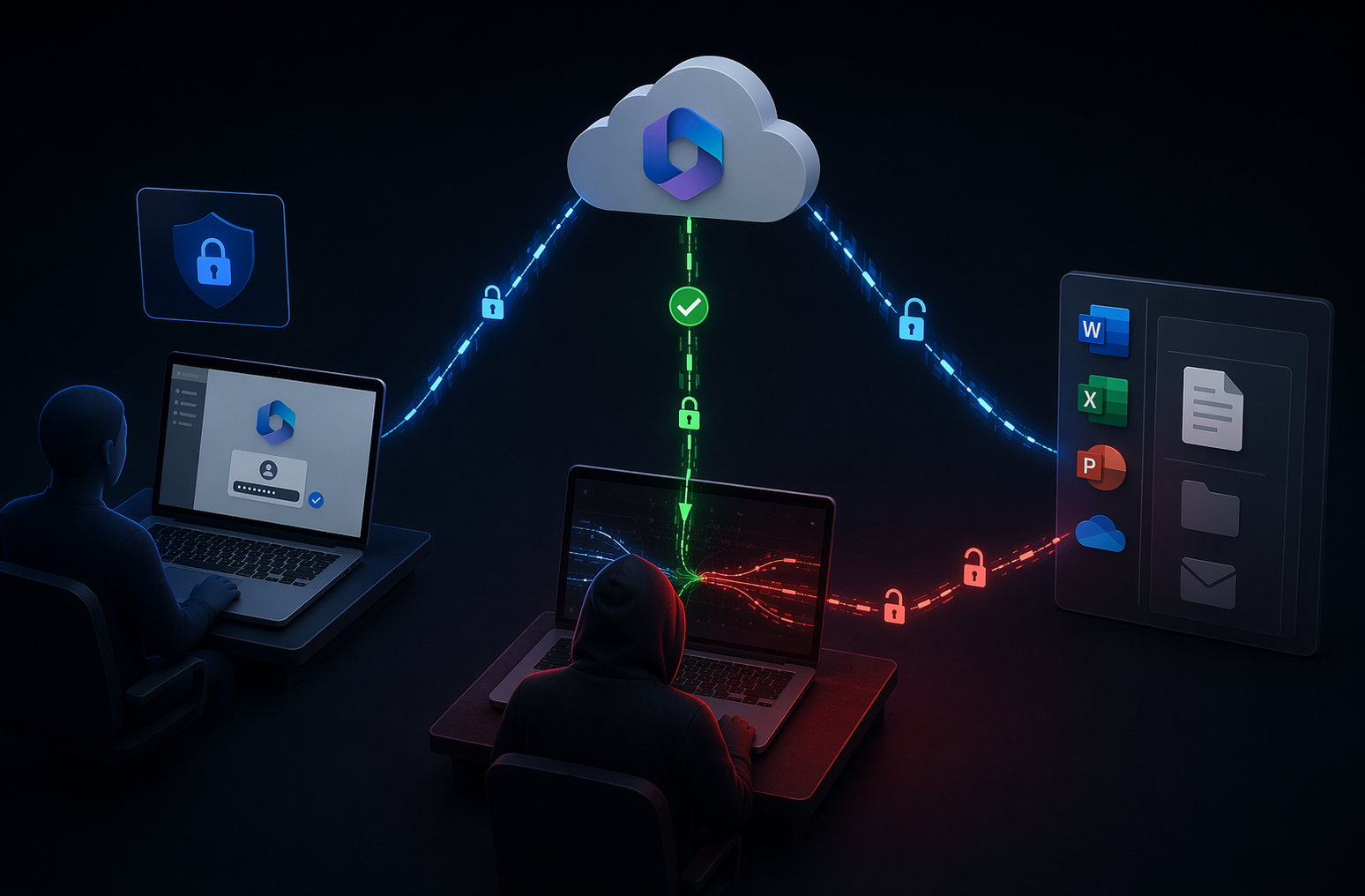
When a user clicks a phishing link, they are directed through a system controlled by the attacker. That system communicates directly with the legitimate login page and passes information back and forth in real time. The user sees the correct branding. The login form works. The MFA prompt appears as expected. Everything looks normal because the attacker is relaying communication directly to the real service. The only sign something may be wrong is a slightly altered web address that can easily be overlooked.
MFA Works Exactly as Intended
Many business leaders are surprised to learn that MFA can still be successfully completed during these attacks, and the reason is simple. The attacker is not breaking MFA. They are allowing it to work. The user enters their credentials and approves the authentication request. Once the process is complete, the application creates a session token that proves the user has been verified. The attacker captures that token and uses it to access the account. From the application’s perspective, the session appears legitimate because it was created through a successful authentication process.
Understanding Session Hijacking
Session tokens are designed to improve the user experience. Without them, users would need to log in constantly while working throughout the day. The problem is that these tokens function like digital access passes. Anyone holding the token may be treated as the authenticated user.
After stealing the session token, the attacker loads it into their own browser and resumes the session. They are not logging in themselves. They are continuing a session that has already been trusted by the application. Because of this, traditional security alerts may never trigger, and there may be no obvious indication that the account has been compromised.
What Happens After an Account Is Compromised?
The most dangerous part of a Man-in-the-Middle attack is often what happens next. Because attackers are operating within a legitimate session, they can quietly explore the environment without attracting attention.
In Microsoft 365 environments, attackers frequently monitor email conversations to identify financial transactions, vendor communications, and sensitive business discussions. They may create hidden mailbox rules that automatically forward messages to external accounts or register new authentication methods that provide continued access in the future.
Some attackers use the compromised account to send phishing emails to coworkers, customers, or vendors. Since the messages come from a trusted account, recipients are far more likely to engage with them. These attacks can lead to financial loss, data exposure, operational disruption, and reputational damage.
Why This Matters for Businesses in Middle Tennessee
Many small and midsize organizations believe they are unlikely targets because they are not large enterprises. In reality, attackers often focus on businesses with fewer security resources because they are easier to compromise. Healthcare providers, nonprofits, manufacturers, local governments, professional service firms, and growing businesses throughout Middle Tennessee all rely heavily on cloud applications and Microsoft 365. These platforms provide tremendous flexibility, but they also create new identity security challenges. A single compromised account can provide access to years of email conversations, financial information, customer records, and internal documents. That is why identity security has become an essential part of modern business.
How to Reduce the Risk of Man-in-the-Middle Attacks
1. Adopt Phishing-Resistant Authentication
Not all MFA methods provide the same level of protection. Security keys and passkeys are designed to verify both the user and the website being accessed. Because these methods are tied to legitimate domains, they are much more resistant to phishing attacks and session theft.
2. Monitor Activity After Login
Most organizations focus heavily on authentication events but pay less attention to what happens afterward. Monitoring for unusual account behavior can help identify compromised sessions before significant damage occurs. Examples include unexpected mailbox rules, new authentication methods, unfamiliar device registrations, or unusual login locations.
3. Strengthen Employee Awareness
Technology alone cannot stop every attack. Employees should understand that a login page that appears legitimate may still be part of a phishing campaign. Training users to verify web addresses and report suspicious login requests remains an important layer of defense.
4. Review Identity Security Regularly
Identity security changes quickly as attackers develop new tactics. Regular reviews of Microsoft 365 security settings, conditional access policies, authentication methods, and user permissions can help organizations identify gaps before they become problems.
MFA Is Still Important, but it is not the Finish Line
Multi-factor authentication remains one of the most valuable cybersecurity tools available to businesses. Every organization should implement it as part of a strong security foundation. At the same time, today’s attackers are proving that protecting the login screen alone is no longer enough.
For organizations across Nashville and Middle Tennessee, a stronger identity security strategy can make the difference between stopping an attack early and discovering a compromise after the damage has already been done.
Common Questions About Adversary-in-the-Middle Attacks
An Adversary-in-the-Middle attack is a phishing technique that intercepts the login process in real time. Instead of stealing passwords alone, attackers capture authenticated session tokens that allow them to access accounts as legitimate users.
MFA remains important, but it does not fully stop this type of attack. Attackers wait until MFA has been successfully completed and then steal the authenticated session that follows.
Session hijacking occurs when an attacker steals a session token or session cookie and uses it to continue an already authenticated session. This can allow access without requiring another login.
Yes. Microsoft 365 is one of the most commonly targeted platforms because it contains email, files, business communications, and cloud applications. Strong identity security controls are essential for protecting these environments.
Businesses should combine MFA with phishing-resistant authentication, conditional access policies, security monitoring, employee awareness training, and regular identity security reviews. Together, these measures help reduce exposure to modern phishing and session hijacking attacks.