Article Summary
Browser extensions can improve productivity, but they can also create security risks if they are not reviewed carefully. Some extensions can access browser activity, cloud applications, and sensitive business data without users fully understanding the permissions they approved. This article explains why browser extension security matters, how risky extensions create exposure, and the simple checks businesses can use to reduce risk before installing them.
Browser Extensions Feel Small, But They Have Big Access
Most people install browser extensions without much thought. A grammar tool, AI assistant, screenshot app, or productivity helper usually feels harmless. It takes only a few seconds to install, and many employees see extensions as simple tools that make work easier, but browser extensions are far more powerful than they appear.
Modern work happens inside the browser. Employees spend much of the day using Microsoft 365, Google Workspace, banking platforms, CRMs, payroll systems, and cloud storage tools. Browser extensions live inside that same environment.
Depending on the permissions granted, an extension may be able to:
- Read website activity
- Access information entered into forms
- View browser sessions
- Modify website content
- Track browsing behavior
That does not mean all extensions are unsafe. Many are legitimate business tools. The issue is that most users approve permissions without understanding what access they are giving away. That is why a browser extension security check matters. A quick review before installation can help businesses avoid unnecessary security risks while still allowing employees to use tools that improve productivity.
Why Browser Extension Security Matters More Today
Cybersecurity is no longer only about protecting servers and networks. Today, the browser has become one of the most important parts of the workplace. It is where employees access business email, communicate with customers, manage files, process payments, and work inside cloud applications. Because of that, attackers increasingly target browser-based tools and browser permissions.
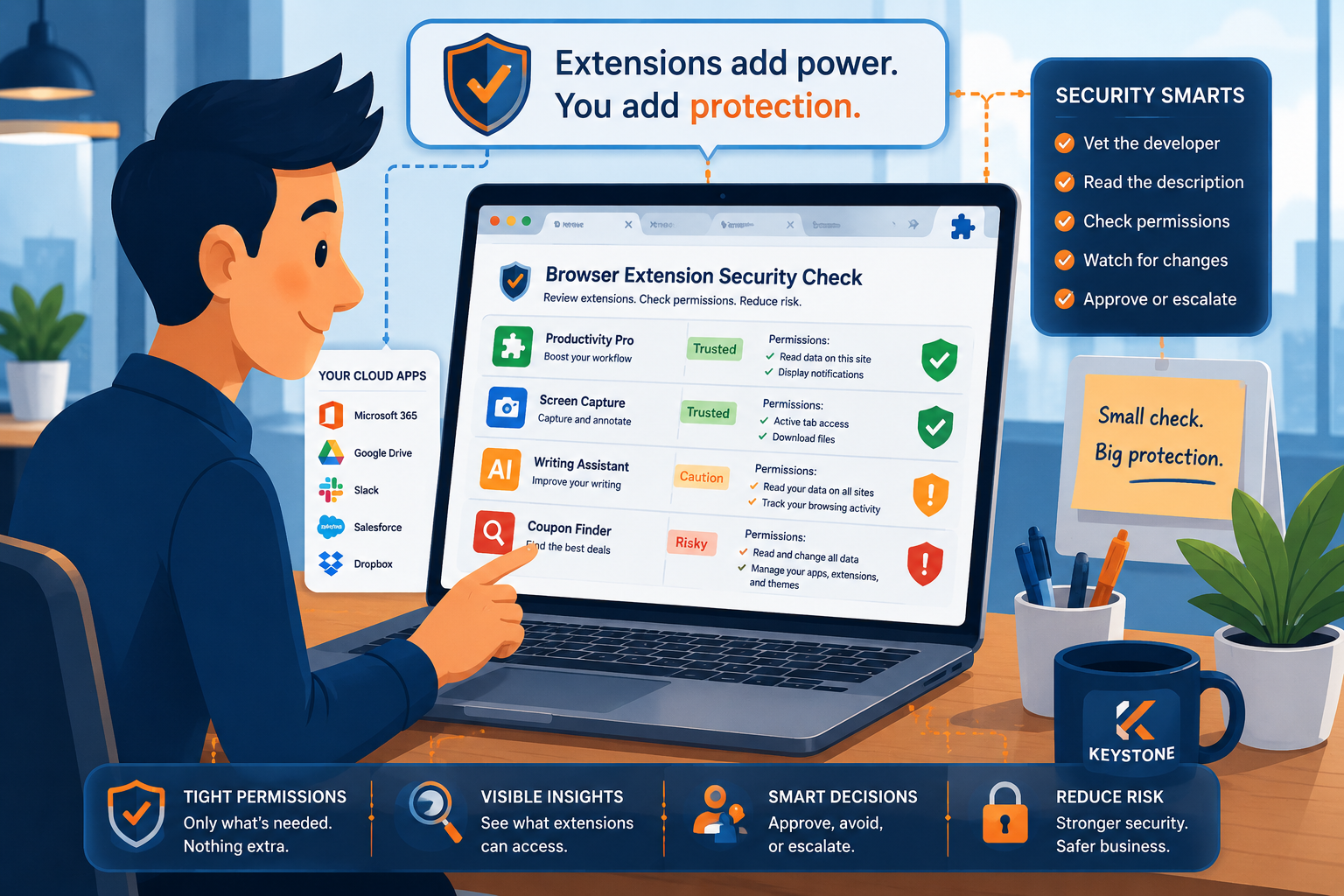
Excessive permissions are one of the biggest browser extension security concerns. Some extensions request access far beyond what they actually need to function. For example, a simple coupon extension may ask to read and change data across every website you visit. A writing assistant may request access to browser tabs, login sessions, or form data. In some cases, the extension itself may not start as malicious. The problem may appear later through updates, ownership changes, or hidden tracking features. That creates a long-term security risk many businesses overlook.
The Problem With “Install First, Review Later”
Many unsafe extensions are installed because the process feels routine. Employees often see a helpful tool recommendation online, install it quickly, approve the permissions, and move on with their day. There is rarely a pause to ask whether the extension actually needs the level of access it requests. That creates several problems for businesses.
First, extensions with broad permissions may gain visibility into sensitive systems. If an employee is logged into financial software, cloud storage, or business email, the extension may potentially interact with those sessions. Second, businesses often have little visibility into which extensions employees are using across company devices. Third, extensions change over time.
An extension that starts as a simple productivity tool can later request new permissions, introduce tracking behavior, or receive updates that increase risk. Most employees automatically approve updates without reviewing the changes. That is why browser extension security should be treated as part of overall cybersecurity hygiene instead of justt as a small browser setting.
A Simple Browser Extension Security Check
The good news is businesses do not need a complicated approval process for every extension. A simple five-minute review can dramatically reduce unnecessary risk.
Step 1: Verify the Developer
Before installing an extension, start with the company or developer behind it. A legitimate extension should have a real company presence, clear support information, and a consistent identity across its website and browser store listing. Employees should be cautious if:
- The developer has little public information
- The extension was recently created
- Support details are missing
- The website looks incomplete or suspicious
- The extension is promoted through unofficial download links
Businesses already vet software vendors carefully. Browser extensions deserve the same level of basic review because they often receive access to sensitive browser activity.
Step 2: Review What the Extension Actually Does
Many browser store listings use vague marketing language. Employees should take a moment to understand:
- What the extension is designed to do
- Why it needs certain permissions
- Whether the requested access matches the feature set
For example, a screenshot extension probably does not need access to every browser tab or browsing history. If the requested permissions feel broader than the feature itself, that should raise concern. The simplest question to ask is: “Does this access make sense for what the tool claims to do?” If the answer is unclear, the extension may not be worth the risk.
Step 3: Pay Attention to Permissions
Permissions are the most important part of a browser extension security check. This is where users can identify extensions that request unnecessary access. Extensions should only request permissions necessary for their core function. Some permissions deserve extra caution, especially when they involve:
- Reading data on all websites
- Accessing browser tabs
- Viewing clipboard information
- Monitoring browsing activity
- Modifying website content
Permissions like these can create visibility into cloud applications, login sessions, and sensitive business workflows. That does not automatically mean the extension is malicious. But it does mean the extension should be reviewed more carefully before approval.
Step 4: Watch for Changes After Installation
One mistake businesses make is treating extension approval as a one-time decision. Extensions update frequently. Sometimes updates improve functionality. Other times they introduce new permissions or additional tracking features. Employees should pay attention if an extension suddenly requests access that it never needed before. Unexpected permission changes should not be ignored. If an extension suddenly asks for broader browser access, businesses should pause and decide whether the new permissions still make sense for the tool. In many cases, removing the extension is the safer option.
Step 5: Create Clear Standards for Employees
Businesses do not need a 40-page browser policy. They simply need consistent standards employees can follow.
That may include:
- Using approved browser extensions when possible
- Reviewing permissions before installation
- Avoiding unofficial downloads
- Reporting suspicious extensions to IT
- Rechecking extensions after major updates
Small habits create stronger security over time. The goal is not to stop employees from using helpful tools. The goal is to make browser extension decisions more intentional.
Browser Security Is Business Security
The browser has become the center of modern business activity. That means browser security directly affects:
- Customer data
- Financial systems
- Cloud applications
- Employee accounts
- Business communications
A risky browser extension can create exposure in all of those areas. For small and mid-sized businesses, this matters even more because many organizations do not have large internal security teams monitoring browser behavior every day. Simple checks and clear standards can go a long way toward reducing unnecessary risk.
Safer Decisions Start With Small Checks
Most browser extension problems are preventable. Employees are not installing risky extensions because they want to create problems. They install them because the process feels fast, normal, and low risk. That is why awareness matters.
A short browser extension security check helps employees slow down long enough to review what access they are approving and whether the tool actually deserves that level of trust. Over time, these small decisions help businesses build stronger cybersecurity habits without making work more difficult.
At Keystone, we don’t just manage IT—we execute. We ensure smooth transitions, rock-solid security, and maximum efficiency so your business can thrive. Let us handle the complexity of IT while you stay focused on what matters most—growing your business. Contact us today to schedule a consultation and see how Keystone delivers results you can trust.
Common Questions
Many browser extensions are safe and useful. The risk comes from extensions with excessive permissions, poor security practices, or malicious updates. Reviewing extensions before installation helps reduce those risks.
Permissions determine what the extension can access inside the browser. Some permissions may allow extensions to view browsing activity, read form data, or interact with cloud applications.
Potentially, yes. Extensions with broad permissions may be able to capture sensitive information entered into websites or login forms if they are malicious or compromised.
Businesses should create clear standards around browser extension use. Some organizations use approved extension lists or browser management tools to reduce risk while still allowing productivity tools.
Extensions should be reviewed before installation and periodically afterward, especially if they request new permissions or receive major updates.